Panda Port Manager
A Windows port manager: see who holds a port at a glance, then free it by ending the process
Stack
- C#
- WinForms
- .NET 10
- Windows
- 单文件
 Panda Port Manager · Windows Port Manager
A small Windows desktop tool (WinForms / .NET 10) that makes "who is using this port?" visible at a glance: it lists every TCP / UDP port together with the process behind it, with filtering, sorting and one-click process termination to free a port. It also detects winnat system-reserved ports (the "ownerless" ports kept by Hyper-V / WSL / Docker) and can release them with one click. Ships as a single-file exe, works out of the box, and offers a bilingual UI (English / 简体中文) with light & dark themes.
Screenshots
Light theme (English)
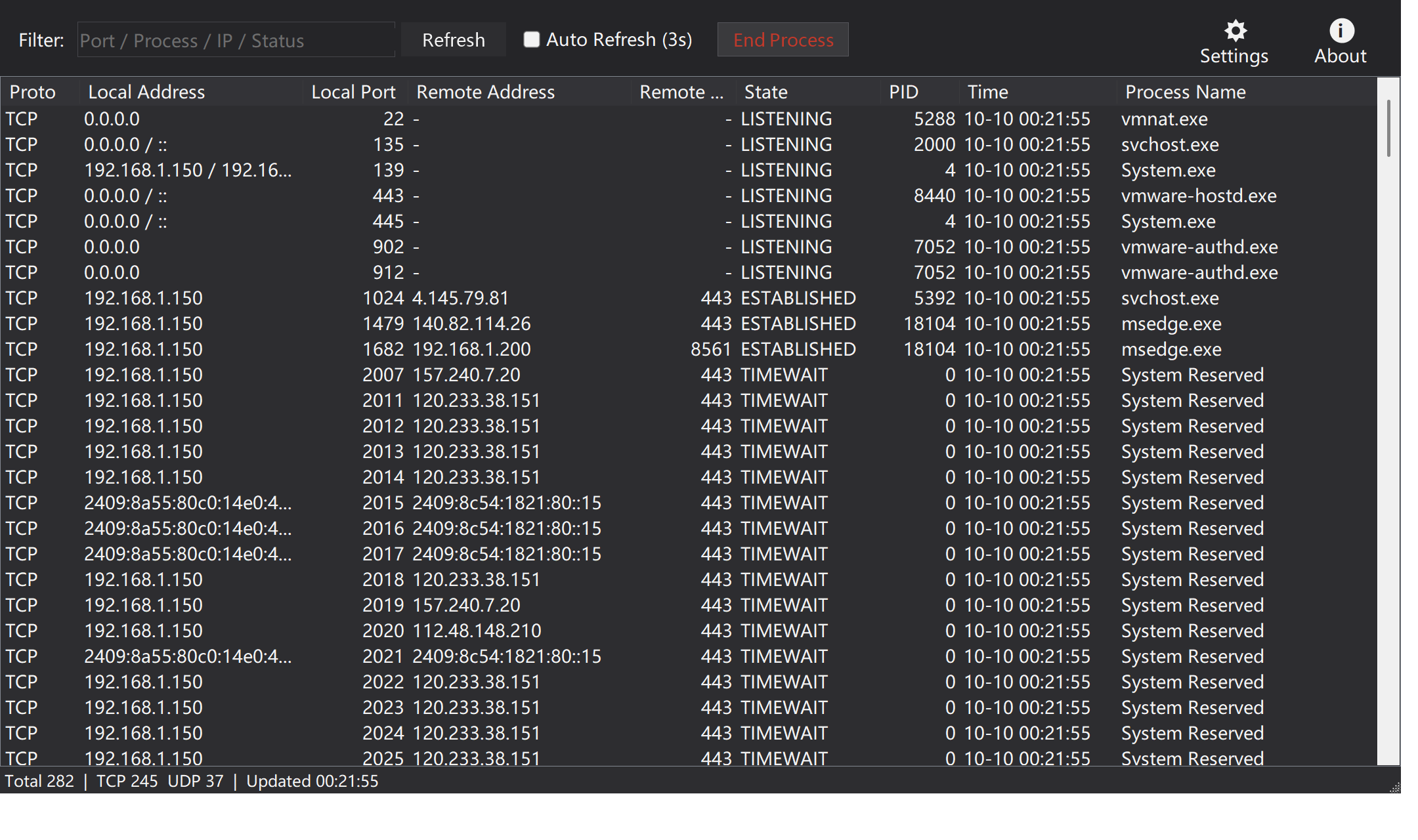
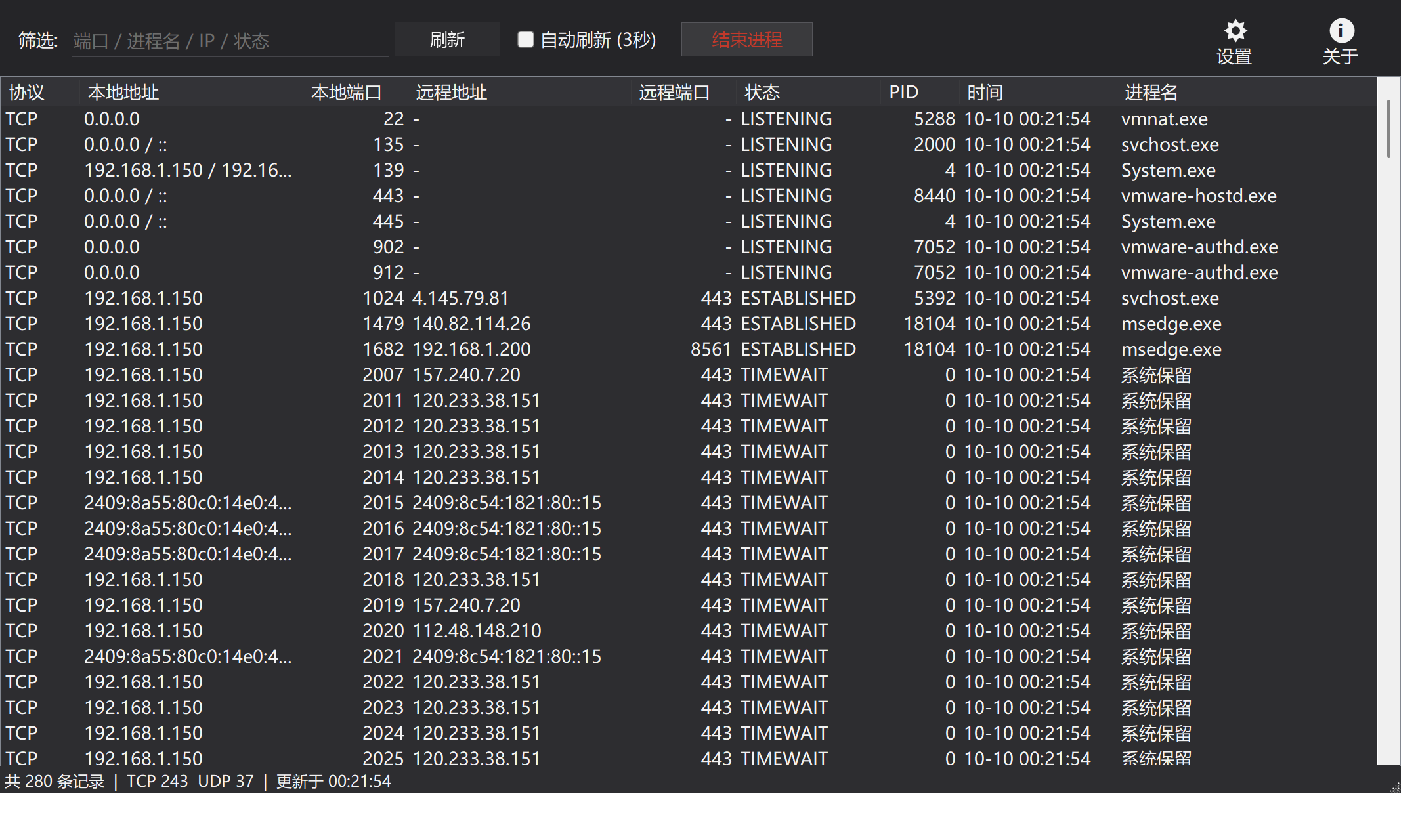
Dark theme (简体中文)
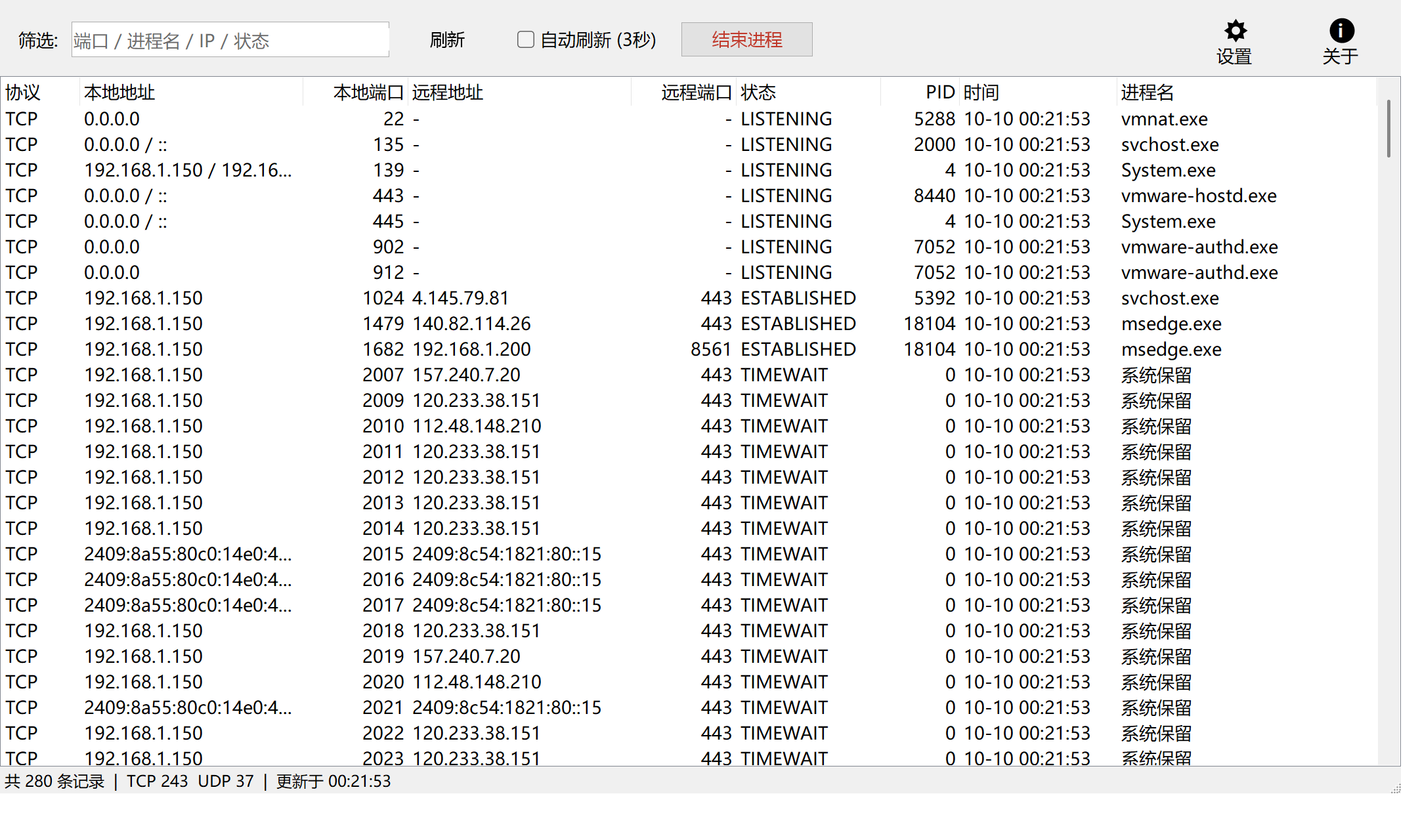
Light theme (简体中文)
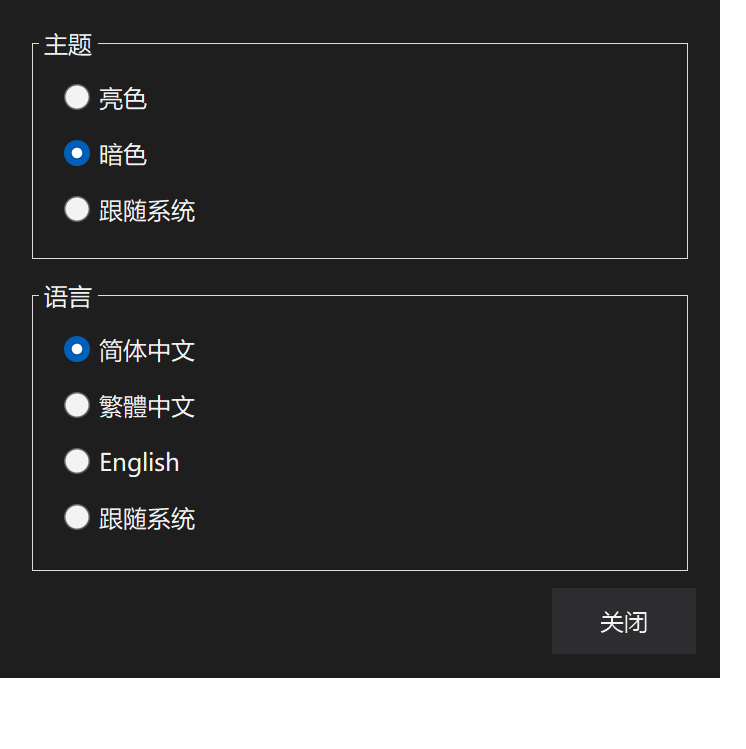
Settings dialog (dark)
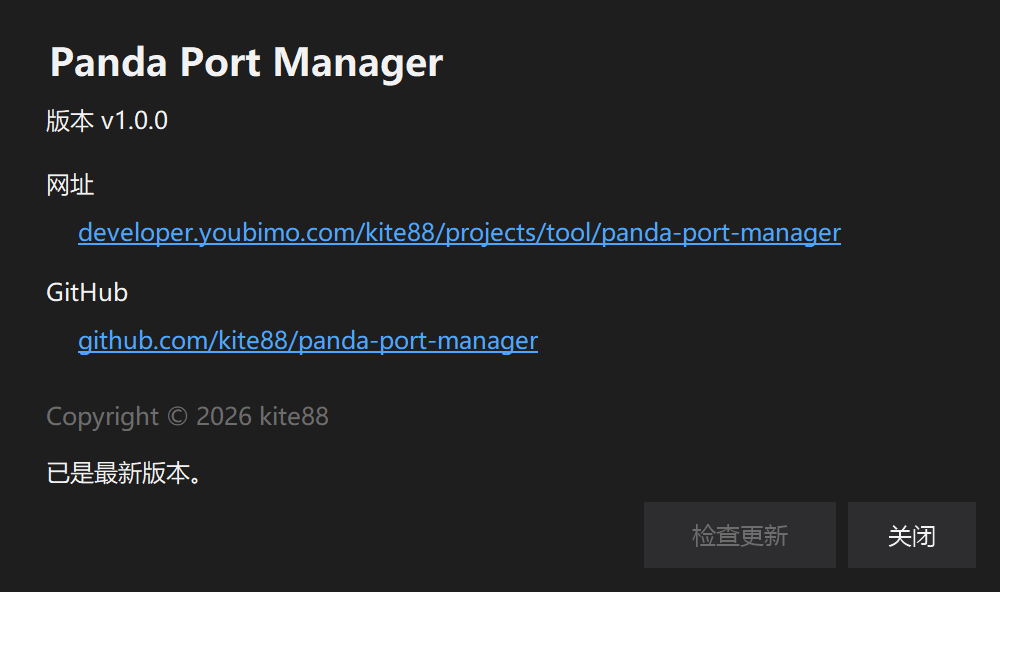
About dialog (version, website & GitHub links)
Features
- Full port overview: lists all TCP / UDP port usage with protocol, local address / port, remote address / port, connection state, PID, process name, plus a "first seen" time column (useful for spotting freshly created connections).
- IPv4 / IPv6 dual-stack merge: the v4 and v6 listeners of the same process on the same
port are merged into one row (
0.0.0.0 / ::) instead of flooding the list. - Live filtering: instantly filter by port / process name / IP / state as you type.
- Sorting: click any column header to sort; numeric columns (port, PID) compare numerically, so 10 never sorts before 9.
- End process: single or multi-select batch termination (including child process
trees); also available via right-click or the
Delete/Enterkeys. Critical system processes are protected by the OS and a failure is reported clearly. - Auto refresh: manual by default; tick the checkbox to refresh every 3 seconds. Refreshing preserves the filter, sort order and the selected row.
- Reserved-port detection & release: for ports without a process, the tool queries the
excluded port ranges reported by
netsh; if the port falls inside a winnat reserved range (usually kept by Hyper-V / WSL / Docker), it can restart the winnat service to release it. - Theme: light / dark / follow system. The dark theme covers the title bar (DWM), the list header, dialogs and context menus.
- Trilingual UI: 简体中文 / 繁體中文 / English, switched instantly, or "System" (Traditional Chinese in traditional-Chinese locales such as Taiwan / Hong Kong / Macau, Simplified Chinese elsewhere in Chinese, and English on non-Chinese systems).
- High-DPI multi-monitor support: built on
PerMonitorV2with manual scaling; when dragged across screens with different DPI the toolbar, buttons, column widths and font size are recomputed against the new DPI (overriding, never stacking on top of, the framework's own scaling), so text is never clipped or jittering in size. - Settings / About buttons: icon buttons (icon + label) on the right of the toolbar. Settings opens a dialog to switch theme and language; the About dialog shows the version, plus website and GitHub links that open in your browser on click.
- Persisted settings: theme and language are stored in
%LOCALAPPDATA%\PandaPortManager\settings.jsonand apply instantly.
Download & Run
Grab PandaPortManager-win-x64.zip from the
latest release, unzip to get
PandaPortManager.exe, and run it.
- Requirements: Windows 10 / 11 x64 and the .NET 10 Desktop Runtime.
- The application manifest declares
requireAdministrator, so launching triggers a UAC prompt — ending other users' processes, system processes and restarting winnat all need administrator rights. - Uninstall = delete the file: it's a single exe, touches no registry, and its only data on disk is the settings.json mentioned above.
Usage
- Find the port: type a port number (e.g.
8080), a process name, an IP or a state (e.g.LISTENING) into the filter box. - See the owner: the "Process Name" column shows who owns the port; rows with PID 0 and "System Reserved" have no owning process.
- Free the port: select one or more rows, then click the red "End Process" button,
right-click and choose "End Process", or press
Delete/Enter. Confirm, and the process is killed and the port released. - Release a reserved port: click "End Process" on a "System Reserved" row; if the port is inside a winnat reserved range, the tool offers to restart the winnat service (WSL / Docker / NAT networking may be briefly interrupted).
- Theme & language: click the "Settings" icon button in the top-right corner; theme (light / dark / system) and language (English / 简体中文 / 繁體中文 / system) apply instantly and are saved automatically.
The status bar shows the total row count, TCP / UDP counts and the last update time.
Build from Source
Requires the .NET 10 SDK (net10.0-windows).
# Build
dotnet build PandaPortManager -c Release

# Publish a single-file exe (the target machine needs the .NET 10 Desktop Runtime)
dotnet publish PandaPortManager -c Release -r win-x64 `
  -p:PublishSingleFile=true -p:SelfContained=false -o dist
Build all three architectures (x64 / x86 / arm64)
publish.ps1 at the repo root builds all three single-file packages in one go (framework-
dependent, requires the .NET 10 Desktop Runtime on the target machine); add -SelfContained
to bundle the runtime into a portable single file:
.\publish.ps1                 # framework-dependent
.\publish.ps1 -SelfContained   # runtime included (no .NET install needed, larger)
Outputs land in publish/win-x64, publish/win-x86 and publish/win-arm64.
Release
Just push a v* tag; the workflow (.github/workflows/release.yml) builds on a Windows
runner, publishes the single-file exe, generates a SHA256 checksum and creates the GitHub
Release automatically:
git tag v1.0.0 && git push origin v1.0.0
Tag names containing - (e.g. v1.1.0-rc1) are automatically marked as a prerelease and
won't take over Latest.
Implementation Notes
- Port data is not scraped from netstat text: the connection and listener lists come
from
IPGlobalProperties(GetActiveTcpListeners/GetActiveTcpConnections/GetActiveUdpListeners), whose fields are reliable. Only the PID is missing from that API, sonetstat -anois parsed once and the PID is mapped back perproto|localAddr|localPort|remotePort|state. Older netstat builds print TIME_WAIT as the space-separatedTIME WAIT; the parser normalizes it. - Refreshes don't flicker or lose context: the whole refresh runs inside
BeginUpdate/EndUpdate, and the filter text, sort state and selected row are remembered (selection is restored by matching the 5-tuple + state). The "first seen" time column stores when an entry first appeared, so it is never reset by a refresh. - Reserved ports use the system's own definition: the excluded ranges printed by
netsh interface ipv4 show excludedportrangeare parsed directly, so the result matches the OS exactly instead of relying on hard-coded ranges. - The dark theme is more than a background swap: besides control colors it handles the
DWM dark title bar (
DWMWA_USE_IMMERSIVE_DARK_MODE), owner-drawn dark list headers, and context menus — the Professional renderer ignores itemForeColorby default, so a custom renderer forces it. - The toolbar icons are drawn in code: a GDI+ polygon gear and a circled "i", with the caption painted below; no image resources are used.
- Fault-tolerant settings: if settings.json fails to parse, the tool silently falls back to the defaults (system theme / system language) instead of crashing.
Known Limitations
- Windows only (WinForms), and
requireAdministratormeans a UAC prompt on every launch, even though merely browsing the list needs no admin rights. - Ending a process is a hard kill on the PID (
Kill(entireProcessTree: true)); there is no "close connection only" or graceful-shutdown option. - PIDs are obtained by shelling out to
netstat -ano; on machines with a huge number of connections that step gets slower (capped at a 5-second wait).
Project Layout
panda-port-manager/
├── .github/workflows/release.yml   # auto-release on v* tags
├── images/                         # README screenshots
├── PandaPortManager/
│   ├── PandaPortManager.csproj     # net10.0-windows / WinForms / single-file publish
│   ├── Program.cs                  # entry point
│   ├── Localization.cs             # Language enum + R string table (zh-Hans / zh-Hant / en)
│   ├── ListViewExtensions.cs       # ListViewItem.SubCells() helper
│   ├── Forms/
│   │   ├── MainForm.cs             # form skeleton: control fields, ctor, Load
│   │   ├── MainForm.Layout.cs      # DPI scaling and toolbar / filter-box layout
│   │   ├── MainForm.Theme.cs       # light/dark palette, DWM dark title bar, header paint
│   │   ├── MainForm.Controls.cs    # owner-drawn buttons, toolbar icons, list control, sorter
│   │   ├── MainForm.Ports.cs       # port scan, netstat PID mapping, filtering
│   │   ├── MainForm.Actions.cs     # kill process, winnat reserved-port release, sorting
│   │   ├── MainForm.Dialogs.cs     # settings / about dialogs
│   │   ├── MainForm.Updates.cs     # GitHub Releases update check
│   │   └── MainForm.Settings.cs    # settings persistence, theme/language switching
│   └── app.manifest                # requireAdministrator (UAC on launch)
├── PandaPortManager.slnx
└── LICENSE                         # MIT
MainFormis apartial classsplit by responsibility: the files share the same private fields (controls, palette colors, DPI baselines) — no extra abstraction layer was added, and no UI behavior changed.
License
Last updated · Docs synced