
Panda Port Manager
A Windows port manager: see who holds a port at a glance, then free it by ending the process
Download
Single-file packages for three architectures: unzip to get PandaPortManager.exe and run it — the target machine needs the .NET 10 Desktop Runtime installed, and the first launch triggers a UAC elevation prompt. Use the SHA256 values in checksums.txt to verify a download.
- Windows · x64 PandaPortManager-win-x64-1.1.0.zip SHA256: b40d2f0143eee36a…
- Windows · x86 PandaPortManager-win-x86-1.1.0.zip SHA256: 1bd915989ded2cb2…
- Windows · ARM64 PandaPortManager-win-arm64-1.1.0.zip SHA256: 029cda6577f6a4da…
Previous versions(1)
Overview
panda-port-manager is a small Windows desktop tool (WinForms / .NET 10) that makes "who is using this port?" visible at a glance: it lists every TCP / UDP port together with the process behind it, with filtering, sorting and one-click process termination to free a port. It also detects and releases winnat system-reserved ports. A single-file exe, ready to run, with light/dark themes and a trilingual UI.
Screenshots
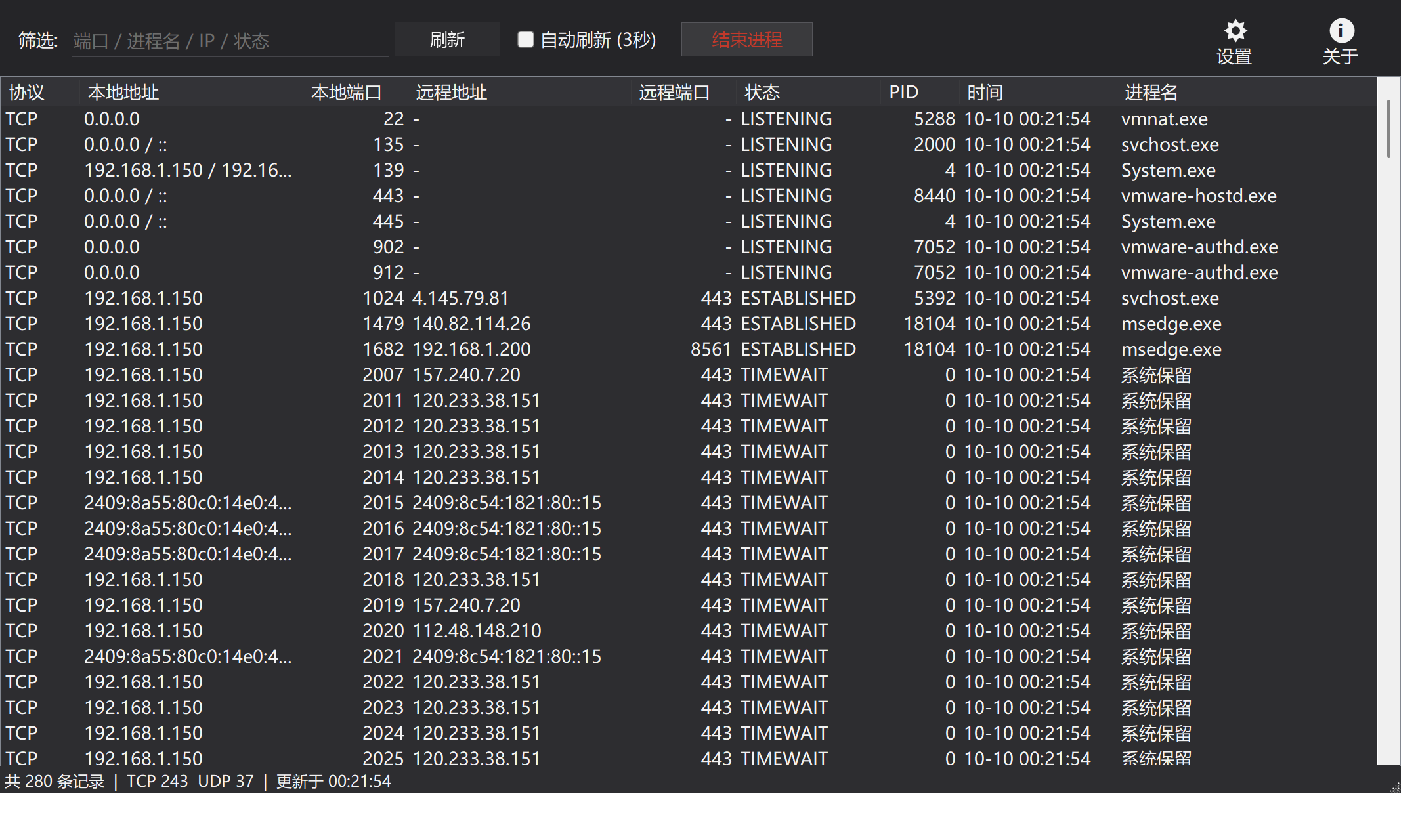
Dark theme (Simplified Chinese): every port and its process on one screen, with the filter and actions on the right
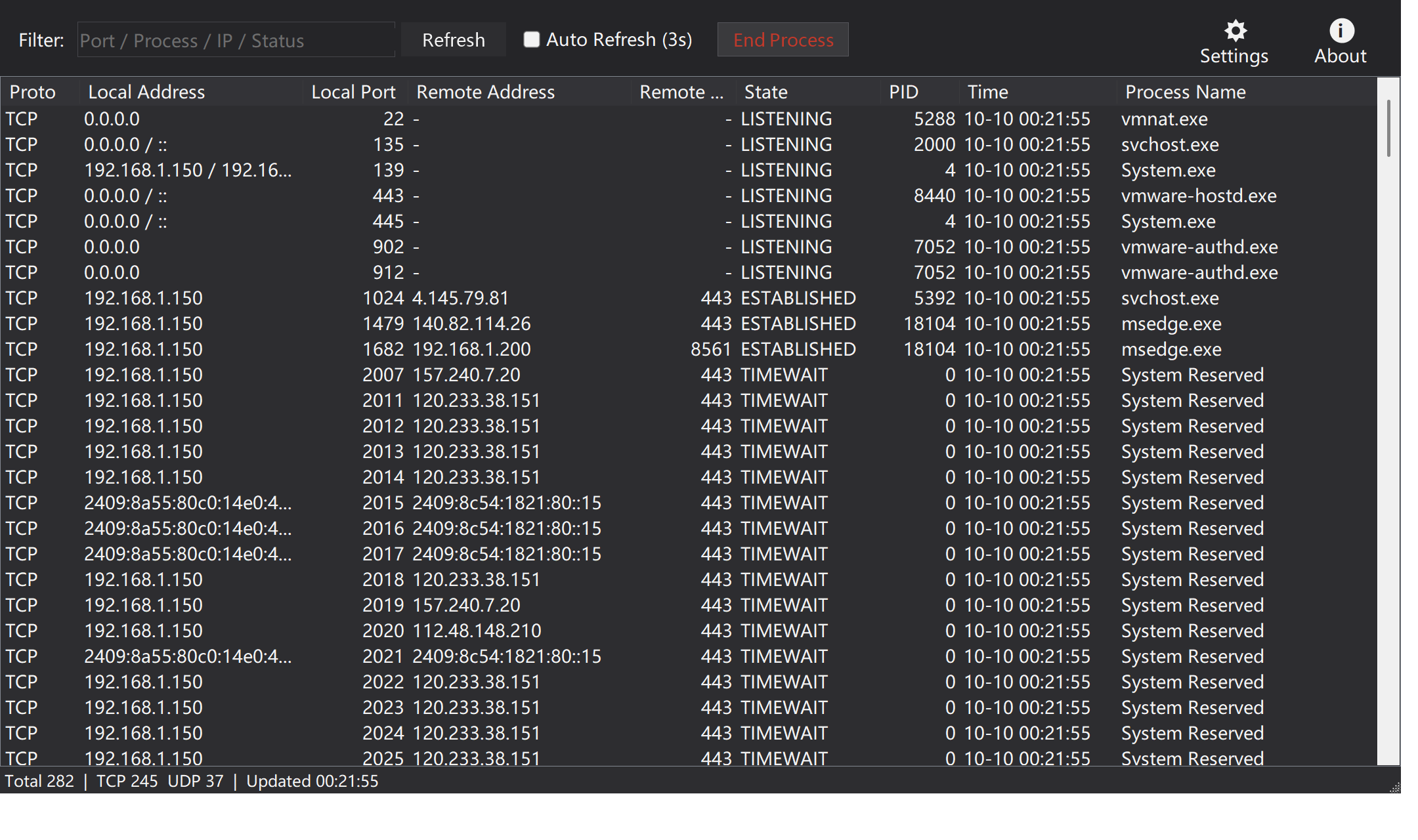
English UI
Highlights
- Full port overview: protocol, local / remote address and port, state, PID, process name and a
first seentime column for spotting freshly created connections - IPv4 / IPv6 dual-stack merge: the v4 and v6 listeners of the same process on one port collapse into a single row (
0.0.0.0 / ::) - Live filtering and sorting: filter by port / process name / IP / state as you type; port and PID compare numerically (10 never sorts before 9)
- End process: single or multi-select batch termination (child trees included), also via right-click or
Delete/Enter; critical system processes are protected and failures are reported explicitly - Auto refresh: manual by default, tick the box to refresh every 3 seconds while preserving the filter, sort order and selected row
- Reserved-port detection and release: ports without a process are checked against the excluded ranges from
netsh; a winnat reserved range can be freed by restarting the service - Light / dark / follow system, with the DWM title bar, list headers, dialogs and context menus all covered in dark mode
- Trilingual UI (简体中文 / 繁體中文 / English) switched instantly, or follow system
- High-DPI multi-monitor support: built on
PerMonitorV2with manual scaling, so column widths and fonts are recomputed for the new DPI instead of being clipped - Shipped as a single exe: no registry writes, the only file on disk is
%LOCALAPPDATA%\PandaPortManager\settings.json
Download & run
- Grab the package for your architecture from Releases (
win-x64/win-x86/win-arm64) and unzip it - Requires Windows 10 / 11 and the .NET 10 Desktop Runtime
- Run
PandaPortManager.exe(a UAC prompt appears on launch)
Notes
- The application manifest declares
requireAdministrator: ending other users' or system processes and restarting winnat all need admin rights - Ending a process is a hard kill on the PID (child trees included); there is no close-connection-only or graceful option
- Restarting winnat briefly interrupts WSL / Docker / NAT networking
- PIDs come from a
netstat -anosubprocess, which gets slower on machines with a huge number of connections (capped at 5 seconds)
Released · Last updated